Free

Log it your way. Check it before it counts.

Search, scan, snap a label, describe a meal or photograph your plate. However it goes in, you see every food and portion before it reaches your diary.

A closer look · sample diary
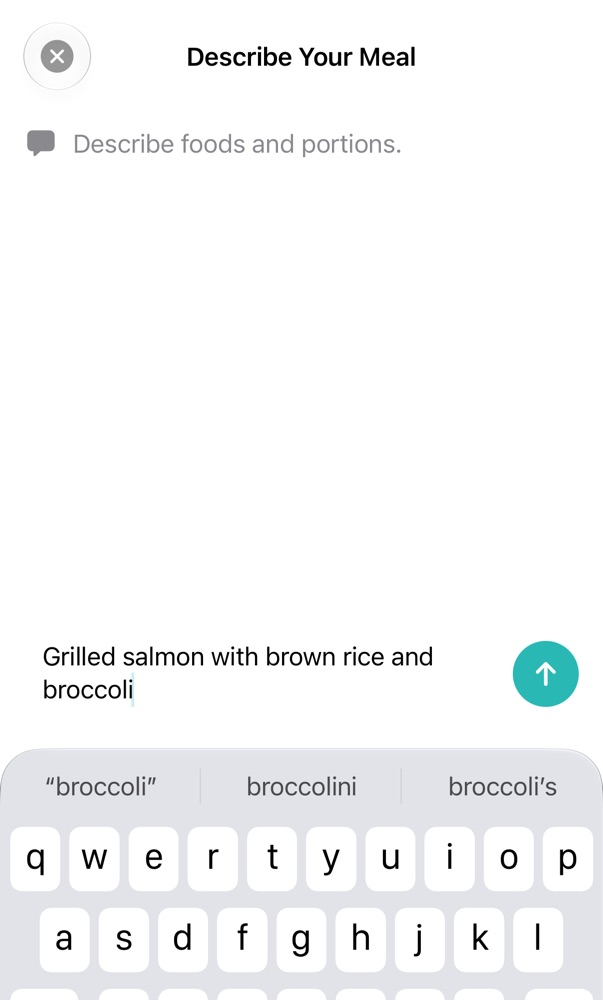
Describe Your Meal screen with “Grilled salmon with brown rice and broccoli” typed in

Real app · Free

“Grilled salmon with brown rice and broccoli.”

Type it the way you'd say it, or photograph the plate. Chockers recognises the foods and amounts. This needs an iPhone with Apple Intelligence.

Logging dinner takes a sentence, not a search for every ingredient.

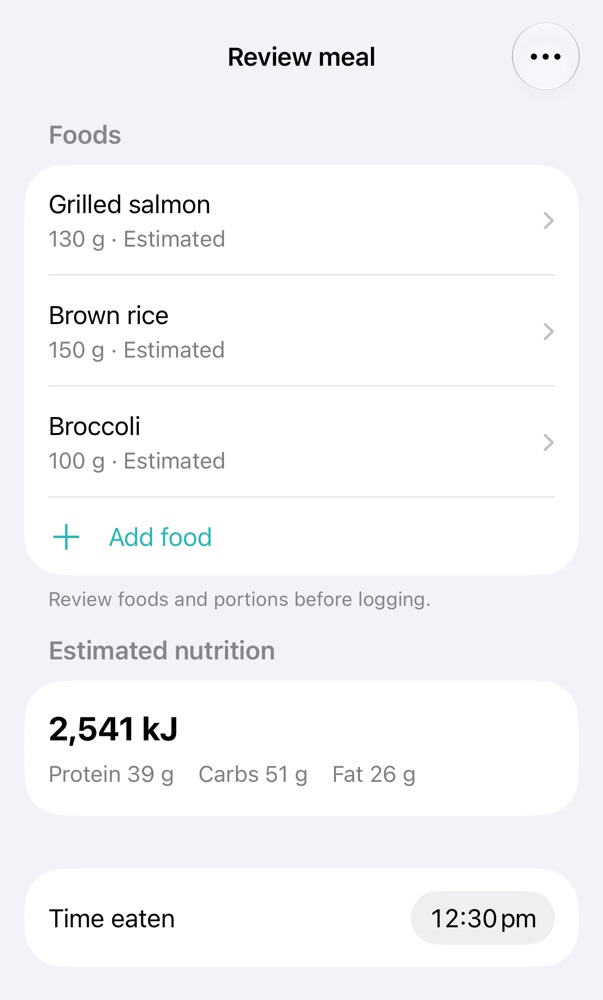
Meal review: grilled salmon 130 g, brown rice 150 g and broccoli 100 g, each estimated, 2,541 kJ in total
Free

“Was that really 150 g of rice?”

Every food arrives with an estimated portion. Change any amount, swap a match, add or remove a food and set when you ate it. Then log it — or don't.

Quick doesn't mean careless: nothing reaches your diary until you've checked it.
Free

“Weet-Bix, one serve.”

Search for it or scan the barcode — even with no signal — and pick your servings. The product's own manufacturer data comes up, you can record when you ate it, and the Today screen updates as soon as you log.

The everyday stuff takes seconds, offline.

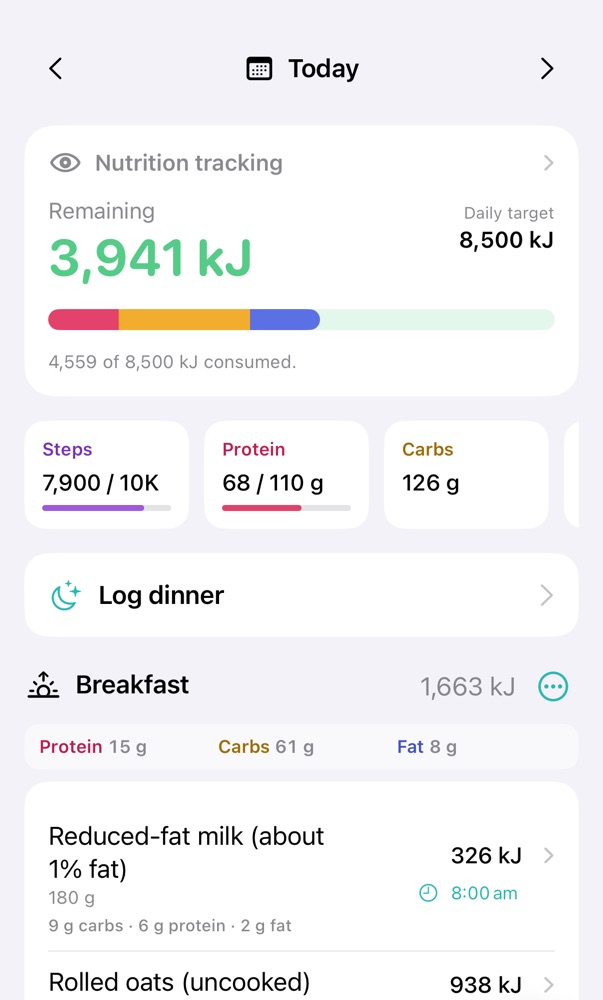
Today screen: 3,941 kJ remaining of 8,500 kJ, protein 68 of 110 g, and breakfast logged
Free

“How much have I got left today?”

The Today screen shows kilojoules remaining, protein and carbs so far, steps from Apple Health if you turn it on, and each meal with its time.

One glance tells you whether dinner needs to be lighter, or whether there's room for dessert.

A little more detail

Good to know.

How it works
  • More than 42,000 Australian and New Zealand foods and recipes ship inside the app, so searching and barcode lookups never touch the network.
  • Photograph a nutrition panel to save a product. Your own entry outranks the bundled data from then on, and syncs to your other devices.
  • Quick Add for when you only know the kilojoules, and saved meals for the breakfasts you have every week.
  • Plan meals ahead if you like. Planned food stays separate from what you've eaten until you confirm it.
  • Describing and photographing meals use Apple Intelligence on your iPhone and Apple's Private Cloud Compute, which you can switch off. Offline or switched off, the meal waits as “nutrition pending” until you finish it another way.
What it won't do

Portion size is the largest source of error in any food diary. Estimated portions are labelled, and a kitchen scale beats a guess when it matters.

Free or Plus?

Every way of logging is part of the free diary. Describing and photographing meals need an iPhone with Apple Intelligence.